How to Monetize a Facebook Group: Methods That Pay
Facebook doesn't pay group admins for running a group. Here are the ways that do earn money, from paid membership to sponsors, and how to automate access.
The Klobo team
10 min read
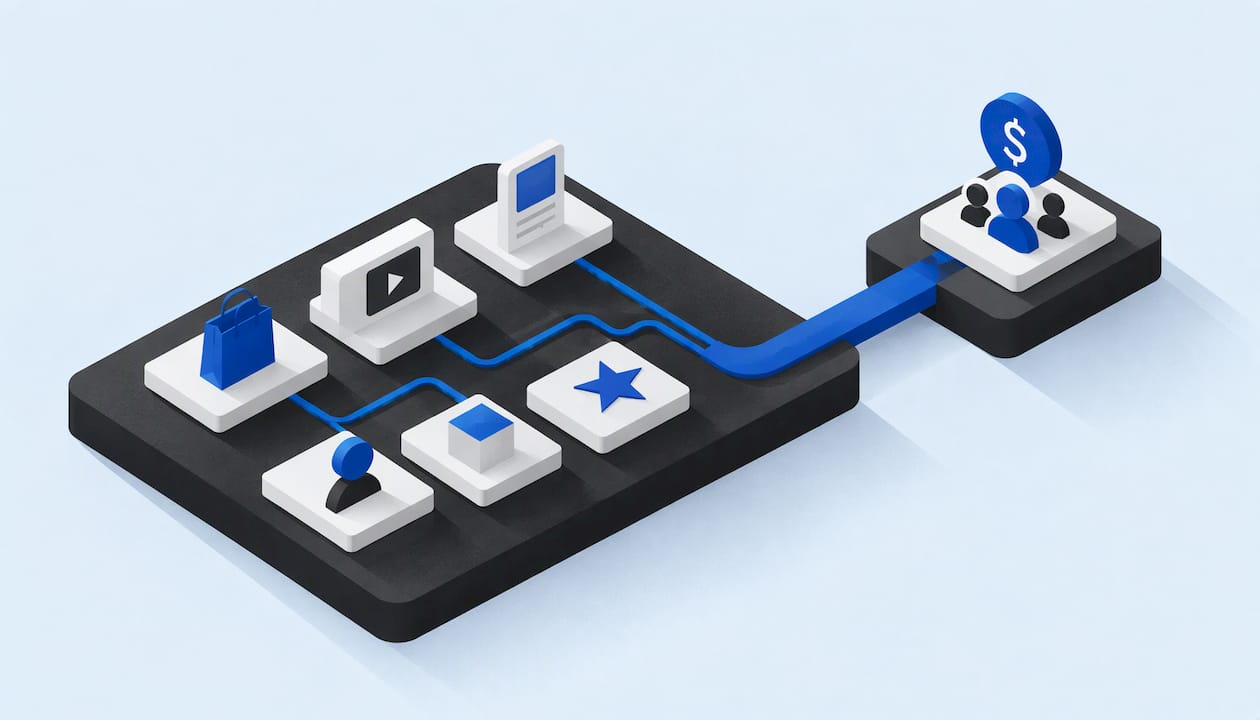
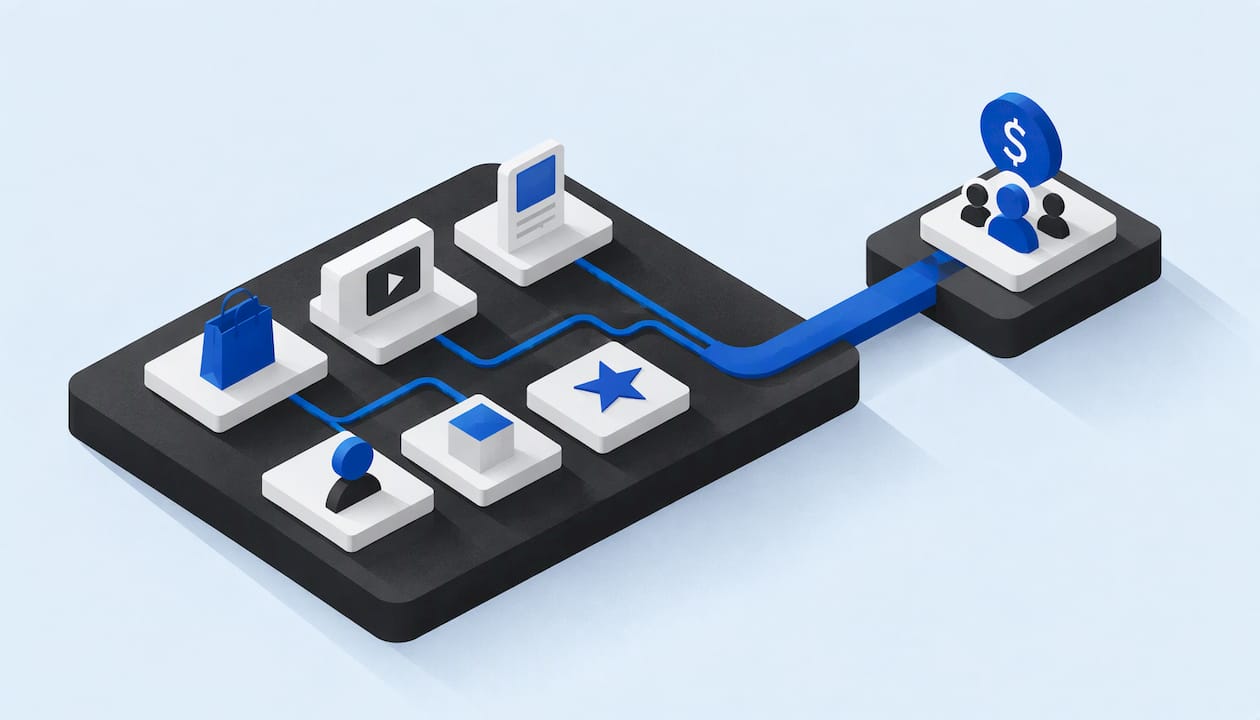
Facebook does not pay you for running a group. Money comes from what members pay you: a paid membership, a course, an event, a sponsor or a product sold alongside the group. The most dependable of these is paid access, because it earns every month without a fresh sale. The catch is the admin work behind it: collecting payments, approving the right people and removing those who stop paying. Klobo is built to take that work over, so you can spend your time on the community.
TL;DR
Facebook has no per-view or ad-revenue payout for group admins. Its creator payout program is invite-only and tied to Reels, photos, text posts and Stories, not groups.
Meta’s built-in subscriptions belong to Pages with a large following, so most group owners charge through an outside checkout instead.
Paid membership, your own offers, events, affiliate links and sponsored posts are the main routes. Combine one recurring source with one or two others.
US affiliate and sponsor posts need clear disclosure of the relationship.
Paid access only works smoothly when approvals and removals happen automatically. Klobo does this in the cloud, without a browser extension.
Table of Contents
What Facebook does and doesn’t pay for
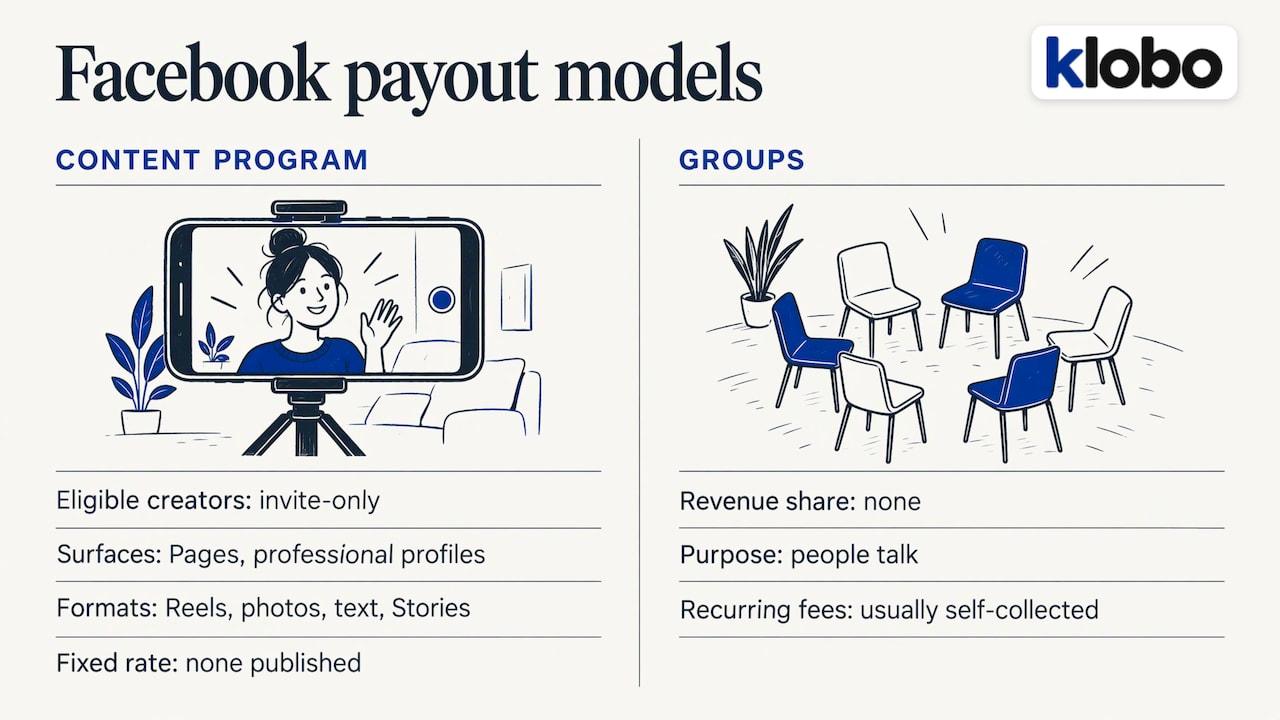
A common first search is whether admins earn per 1,000 views. They don’t. Meta’s main payout program, Facebook Content Monetization, is invite-only and pays eligible creators for how their Reels, photos, text posts and Stories perform. Finder’s 2026 guide explains that Meta publishes no fixed rate. A creator’s dashboard shows an approximate earnings rate per 1,000 qualified views, and it varies by creator, content and audience.
That program sits on Pages and professional profiles. A group is a place where people talk, and Facebook does not attach a revenue share to it. So the real question is how to turn the people in your group into paying customers.
There was a brief push in the other direction. In November 2021, Meta announced that group admins and moderators could charge subscription fees for special subgroups, run community fundraisers and turn on shops. Meta said it would take no cut of paid-subgroup funds at that time. Today, though, Meta’s subscription product is built around Pages, and group owners who want recurring revenue usually collect it themselves.
Why Meta’s own subscriptions rarely fit a group
Facebook Subscriptions lets an eligible Page sell monthly access to perks such as subscriber-only content, Lives, discounts and a private group. The bar is high. According to SirenCY’s summary of Meta’s terms, a Page needs:
10,000 followers or 250 or more return viewers
either 50,000 post engagements or 180,000 watch minutes in the last 60 days
compliance with Meta’s monetization policies and the Fan Subscription Creator Terms
The same guide notes that Meta’s terms allow it to deduct up to 30% of subscription revenue. Benefits also have limits: physical goods can’t be provided through Subscriptions, and gambling such as raffles is prohibited.
A group with 800 engaged members will not clear those thresholds. Even a large group is only a perk inside a Page’s subscription, not a paywall on the group itself. An independent checkout has no follower minimum, which is why most paid groups run on their own payment setup.
Six ways to earn from a Facebook group
1. Charge for membership
This is the most reliable model. Members pay monthly or yearly, and the group becomes a place with something people can’t get for free: coaching access, a private discussion space, templates, office hours or a curated network.
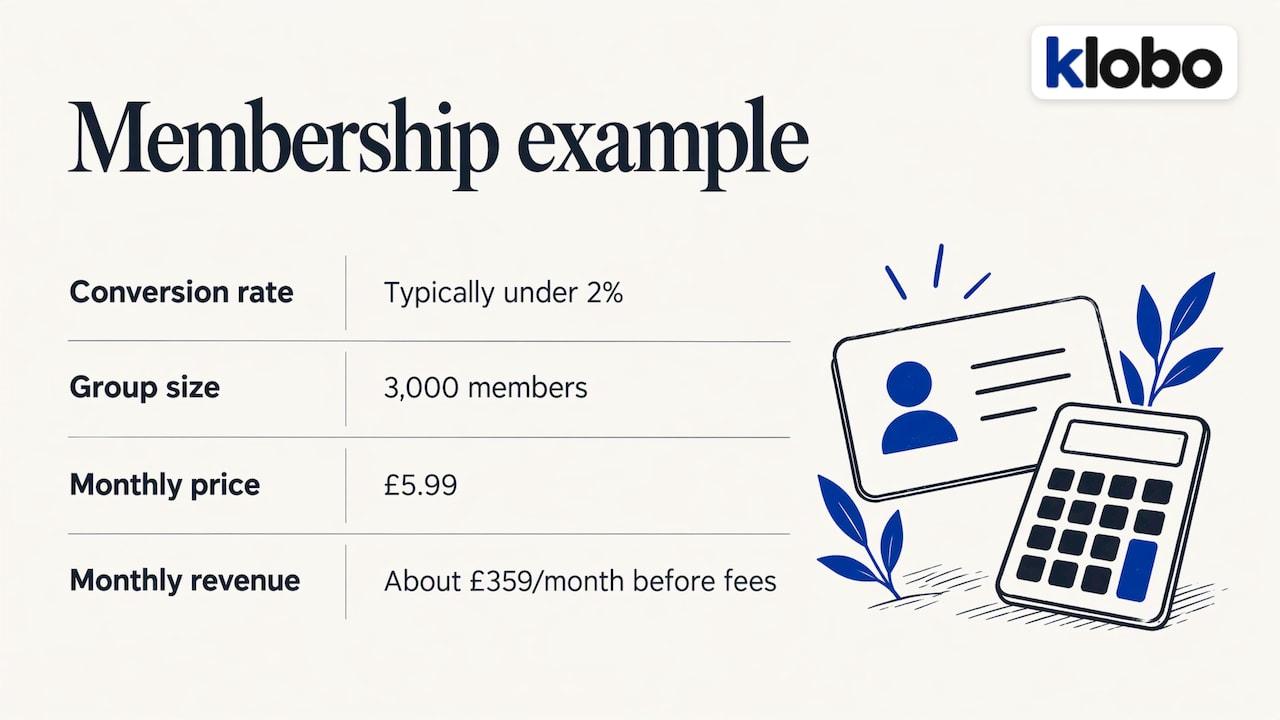
The math is simple. A UK creator’s analysis says free-to-paid conversion is typically under 2% unless the free content is restrained and the paid tier offers something unique. At that rate, 2% of a 3,000-member group paying £5.99 a month comes to about £359 a month before fees. Raise the price or deepen the offer and the same group earns far more, which is why a clear paid-only promise matters more than member count.
The work is operational. Every new payer has to be approved, and every lapsed payer has to be removed. Doing that by hand is where most owners stall, and we cover it below.
2. Sell your own course, program or service
Many groups earn nothing on Facebook itself and a lot beside it. In one case study from the same UK author, a 6,200-member marketing group earned £0 from Facebook but £34,000 a year from a quarterly £997 mentoring cohort, with 3 to 4% of members converting per cohort. The group worked as a warm audience, not a product.
This suits coaches and online educators. The group builds trust, and the paid offer is where the revenue lands. If you also want a recurring layer, a paid inner circle for cohort alumni turns one-off buyers into monthly members.
3. Run paid events and workshops
Event organizers can use a group as the home base for a series: a paid workshop, a masterclass, a retreat waitlist or a monthly live Q&A. Members who pay for one session see the group as the place to continue the conversation. A paid event also gives you a natural reason to collect emails, which you own regardless of what Facebook does with reach.
4. Affiliate links
Recommending tools or products you actually use can pay. Business Insider verified one creator earning more than $220,000 in commissions from one affiliate platform’s links, run through a Facebook group. That is an outlier, not a benchmark.
Two cautions apply. Meta has been testing limits on external link posts for non-verified Pages and accounts, and Digistore24 reports the common workaround is putting links in comments. Second, the FTC expects a clear disclosure of any material connection, including a commission, next to the link. AuditSocials’ summary of the FTC Endorsement Guides says the disclosure should appear before Facebook’s “See More” cut-off, and that stacked relationships such as a sponsorship plus a commission need separate disclosures.
5. Sponsored posts
Sponsors pay to reach a focused audience. Rates depend on size, niche and engagement. The same UK author reports about £75 for a pinned post in a 3,000-member local group and £600 for a week-long partnership in a 40,000-member national group. Those are one writer’s figures, so treat them as a rough range and set your own price.
The discipline matters more than the rate. Accept only sponsors that fit your members, disclose every paid post, and keep paid content a small share of the feed. A group that feels like an ad board loses engagement, and lower engagement lowers what sponsors will pay.
6. Sell products or digital goods
Templates, printables, planners, merchandise and ebooks fit communities built around a shared interest. Sell them through your own store or checkout and link to it from the group’s featured section and welcome post. Keep the group’s value in the conversation and let the product be the optional next step.
Which method fits you
Your situation | Strongest first move | Why |
|---|---|---|
Coach or consultant with an audience | Paid membership plus a premium program | Recurring income and a path to higher-ticket offers |
Online educator | Paid group as the course community | Students stay for support after the lesson ends |
Event organizer | Paid event series with a member-only group | Every event feeds the next |
Niche hobby group | Low-priced membership or products | Many members, smaller tickets |
Large free group | Sponsors plus a paid inner tier | Reach sells to sponsors, depth sells to members |
Most successful groups stack two sources. A recurring membership covers the baseline, and one-off offers or sponsors add upside.
How to launch a paid Facebook group, step by step
This is the routine behind the membership model, with where it usually goes wrong.
Define what’s behind the paywall. Decide what paying members get that free members don’t: a private group, live sessions, resources or direct access to you. Vague promises produce the under-2% conversion mentioned above.
Set the price and billing cycle. Monthly lowers the barrier. Annual brings cash in sooner and cuts churn. Price against the outcome you deliver, not the member count.
Choose how you collect payment. Meta’s subscriptions are tied to Pages with a large following, so most owners use an independent checkout. Klobo works with payment providers you already use, so you don’t need to switch.
Collect the email at checkout. Your email list is the one audience you control. Klobo collects payments and emails together.
Approve paying members automatically. This is where manual setups break. Approving by hand means someone waits hours for access they paid for, or you approve the wrong person. Klobo approves paying members automatically.
Remove access when a membership ends. If nobody removes lapsed members, paying and non-paying people sit side by side and the paywall stops meaning anything. Klobo revokes access when a membership expires.
Track members and payments. You need to see who is active, who lapsed and what came in. Klobo provides member and payment tracking, and custom workflows for the way your group runs.
Set group rules and disclosures. Write rules that cover paid posts, promotion and sponsor disclosure, and follow Meta’s Community Standards and the FTC’s disclosure rules for anything paid.
Our longer walkthrough, how to make your Facebook group paid, covers the setup in more detail.
Automating access without tying up your account
Paid groups fail in a predictable way. The owner is the bottleneck: payments arrive at midnight, requests pile up, and expired members linger because nobody checks. As a group grows, the admin time per member does not shrink unless the process runs itself.
That is the problem Klobo solves. It is a membership platform for Facebook groups that connects payment processing to group access. Approvals and removals run in the cloud, with no Chrome extension, no always-open browser and no use of your personal Facebook account. Your group keeps running when your laptop is closed.
If you want to see the product itself, the Klobo membership platform is the place to start. You can also browse the Klobo blog for guides on running a paid community.
Keep member trust while you earn
A paid group is a promise. Three habits protect it:
Put members first. One guide to group monetization puts it as a rule: the community should benefit more from the group than you do. Paid posts capped at one or two a week, with most of the feed organic, keep engagement healthy.
Disclose every relationship. Affiliate commissions, sponsorships and gifted products all count in the US. Disclose near the link, in plain words, in the post itself.
Deliver on what’s paid. Members who pay for access judge the group by value. Show up in the group on a schedule and keep the paid tier clearly better than the free one.
Payouts and fees to know about
If you also use Meta’s own programs on a Page, Shopify’s 2026 guide explains the mechanics. Earnings from content monetization, Stars, subscriptions and storefront go into one payout account. Payouts are released around the 21st of each month for the prior month, and the US minimum balance is $5. Payments take one to seven business days by bank account or PayPal. Eligibility includes being 18 or older, living in an eligible country and posting original content.
These rules cover Meta’s programs. Money from your own checkout follows your payment provider’s terms and payout schedule instead, so check those before you set prices.
FAQ
Can I make money from a Facebook group without Meta paying me?
Yes. Meta doesn’t pay group admins directly, so income comes from members and partners. Paid membership, your own courses or services, events, affiliate links and sponsors are the main routes, and you can start with a few hundred engaged members.
Do I need a minimum number of followers to charge for a group?
Not if you charge through your own checkout. Follower and engagement thresholds, such as the 10,000 followers or 250 return viewers needed for Page subscriptions, apply only to Meta’s own programs.
How do I automatically add paying members and remove expired ones?
Connect your payment provider to a membership platform built for Facebook groups. Klobo approves paying members automatically and removes access when a membership expires, and it runs in the cloud without a browser extension.
Do I have to disclose affiliate links and sponsored posts?
In the US, yes. Any material connection, including a commission or a paid sponsorship, should be clearly disclosed in the post itself, near the link and visible before the text is truncated. If you’re unsure how a deal applies, ask a lawyer who handles advertising law.
Sources
CNBC: Meta announces new revenue features for Facebook Groups
Lilach Bullock: How Much Money Does a Facebook Group Admin Make?
Business Insider: How a creator uses Facebook to earn more than $220K